
You are working on an environment scene. You need a lot of objects that will fit in one or a few texture sheets. So you do all the sculpting, make your low poly meshes and it’s time to bake and texture. But wait! Everything needs to be named properly and match between the high and low poly meshes. Naming one set is easy, but having to match everything is often annoying and prone to error. I spend some time naming objects and when I bake it turns out that I made a mistake somewhere and I have to fix it, re-export and re-bake again.
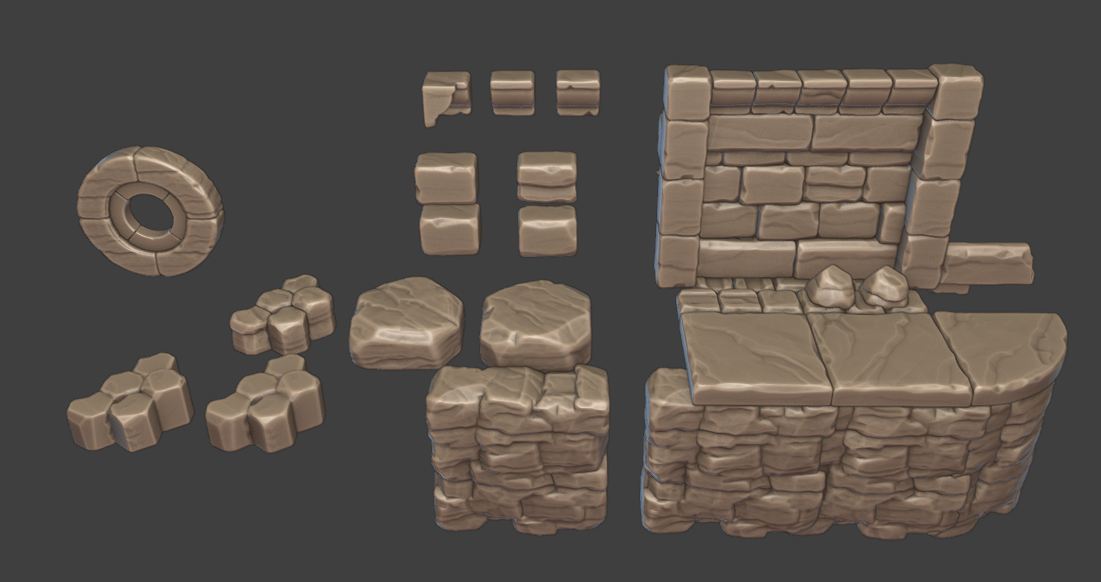
If that sounds like you – here is my simple solution:
A little add-on – Batch Renaming by Bounding Box or BBox Batch Rename (a bit descriptive, I know). I didn’t list it in the menus, you have to search for the operator in the F3 menu (just search for BBox). The menu that appears asks for a few inputs.
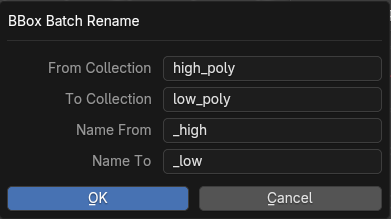
1. From Collection – the collection that your named objects are.
2. To Collection – the collection that the objects you want to name are.
3. Name From – a part of the name that you want to change from
4. Name To – a part of the name that you want to be changed.
What the add-on does is compares bounding boxes in the from collection to bounding boxes in the to collection and copies names with the required change. It also works only on the selected objects in case you want to rename only specific objects.
And voilà! All your objects are properly named with the suffix you chose. And if you need to change the name of something – you just rename one object and run it again.
You can download it Here.