I was planning on creating a post for organizational software but ended up writing so much about Obsidian that it became a post by itself . I stumbled upon Obsidian when I was looking for Notion alternatives. And Obsidian delivers not just an alternative, it’s an experience on an new level.
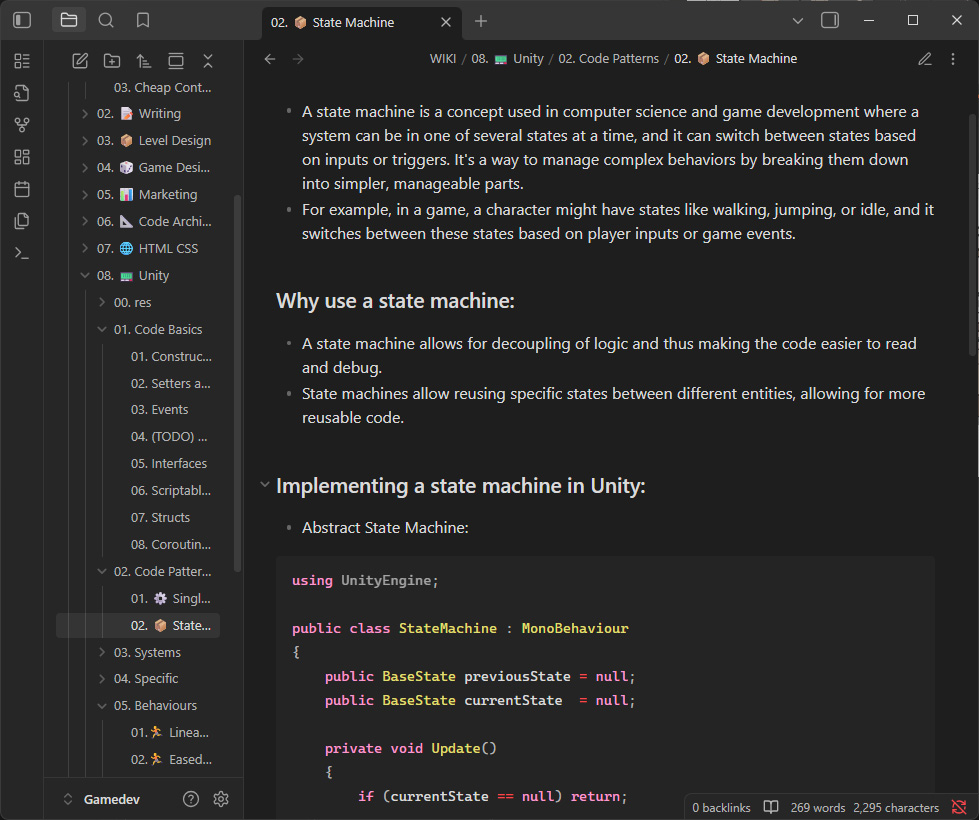
Note Taking
In its core Obsidian is a note taking app. You write your notes in markdown and organize it in folders. It supports different types of blocks in a structure. Perfect for note taking, internal wiki, journaling or anything similar. But there is so much more to Obsidian than that.
The Plug-ins
Obsidian comes with a few official plugins by default and a seemingly endless community-driven ones. Here I will dive into a very few ones that elevate the app from a simple note-taking app to a beast for organizing your projects.
Canvas
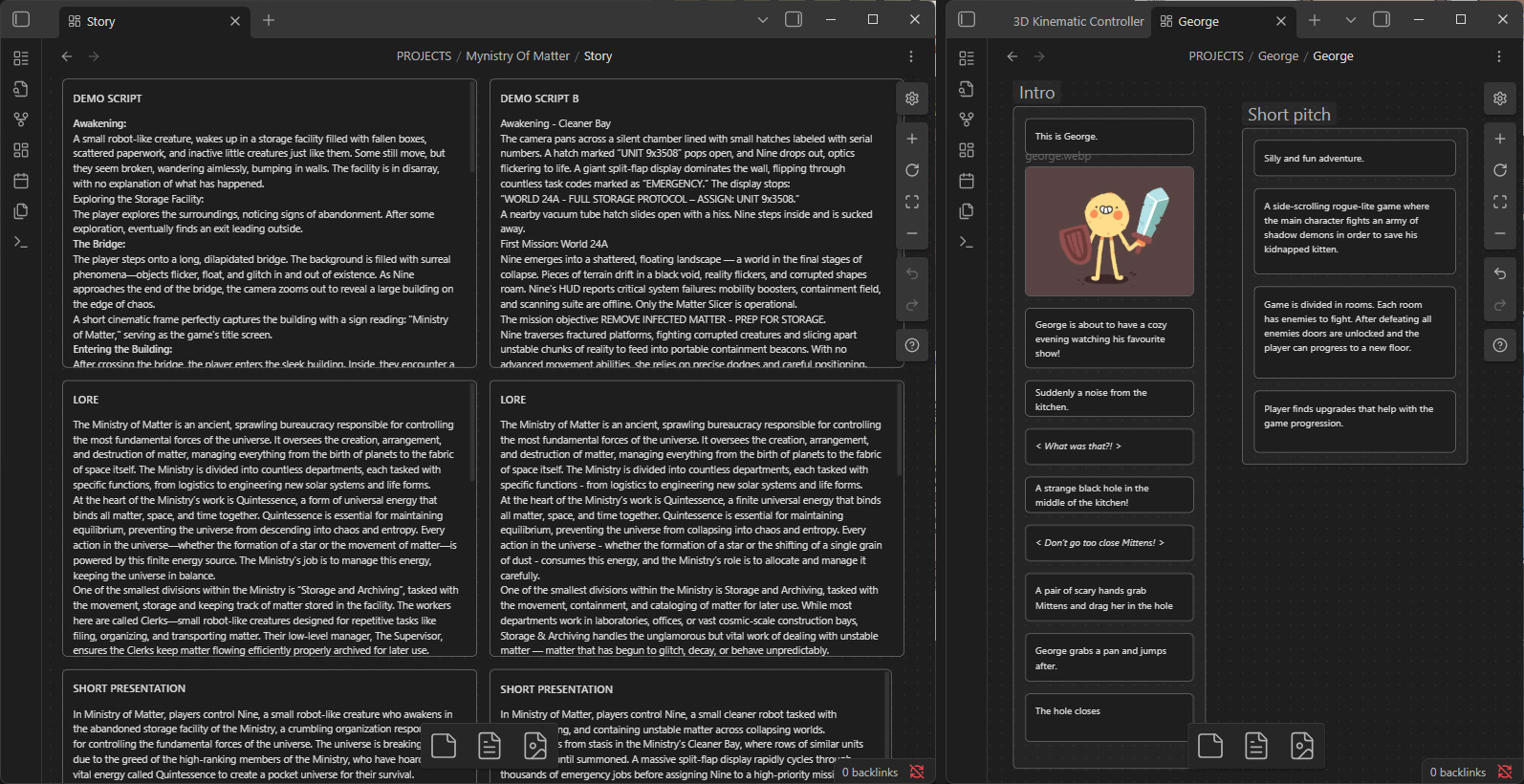
Canvas is an official plugin shipping with Obsidian. It allows you to create blocks that can be either images or text. They can be contained in the canvas itself or a link to a note. You can group them, connect them, link between them and organize them as you want. I am using canvases for almost everything. They are simply amazing. When I am writing I can write on multiple documents at the same time, see what is where at any moment and be able to compare without having multiple tabs or windows open. Combine that with the groups and connections and you can build flowcharts, technical breakdowns and so much more. I simply can not explain how amazing that is!
Editing Toolbar
Using markdown is very easy. But with a simple plugin you get a word-like formatting. It’s a very basic but extremely useful.

Excalidraw
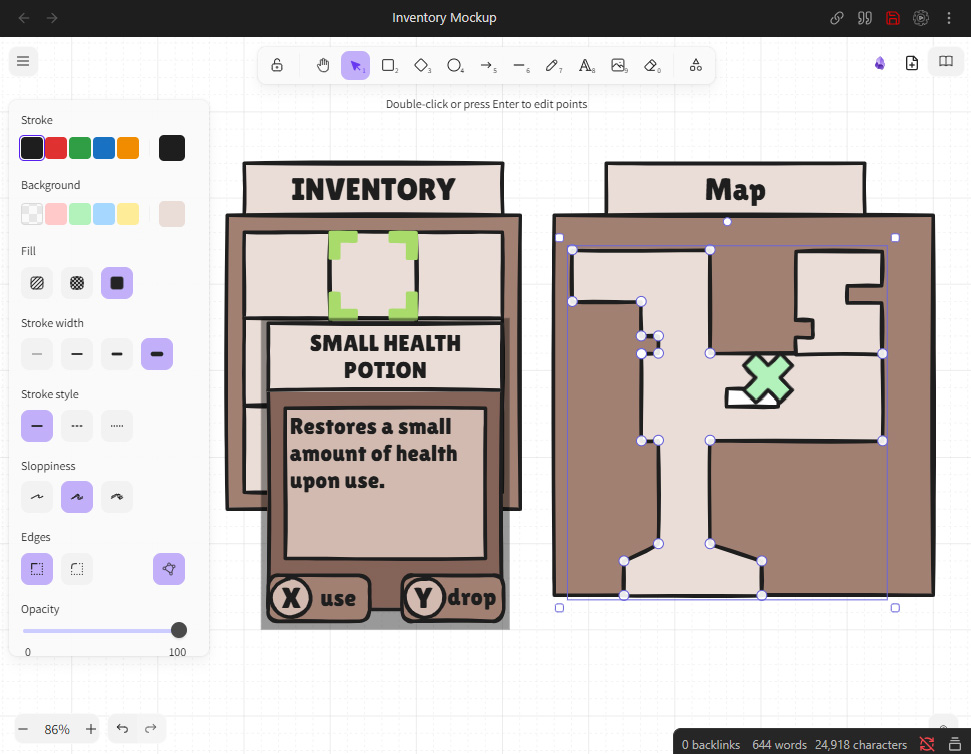
Excalidraw is a standalone software, but also a plugin for Obsidian. You can do your charts directly as a new file and plug it in your documents. Even more – you can drop your Excalidraw file in a canvas and have a live preview! It is such a useful tool for UI mockups, sketches or any sort of drawings.
Kanban
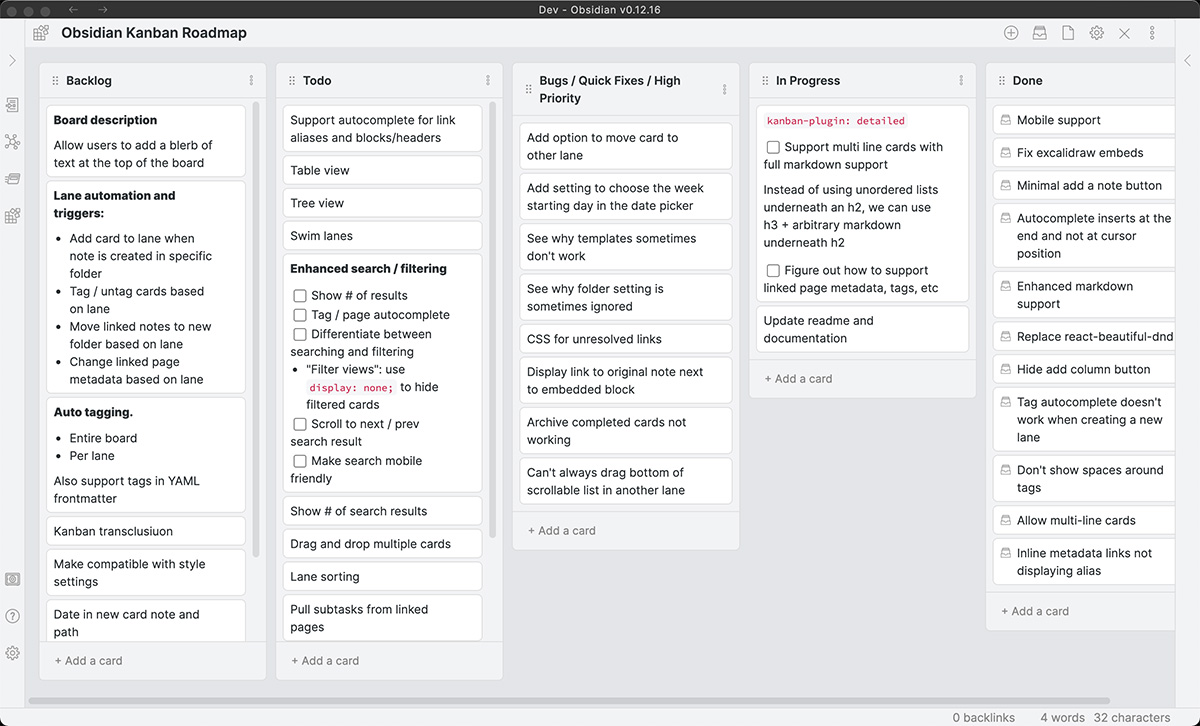
Planning your time and projects and need a Kanban board – Obsidian has that too! You can make each card a link to a full page with notes and images too!
Synchronization
There are many ways to synchronize Obsidian between different devices and even to be used as a shared tool between entire teams. There is the official Obsidian Sync but there are also countless alternative solutions. For my personal use I am just using a cloud storage and I save my notebooks there to access from any device.
Conclusion
Here I only showed a very little part of the program that I am using all the time. But there are so much more. Databases, daily notes, GitHub integration and an ocean of additions from the community. If you need to organize your projects – I can not not recommend Obsidian enough!